
3,061km
Lindesnes to North Cape
Norway, end to end
Pick a route anywhere on Earth and walk it with the steps you already take. Bring your family or a few friends, and follow each other live on the map.
Free to download for iPhone and Android.
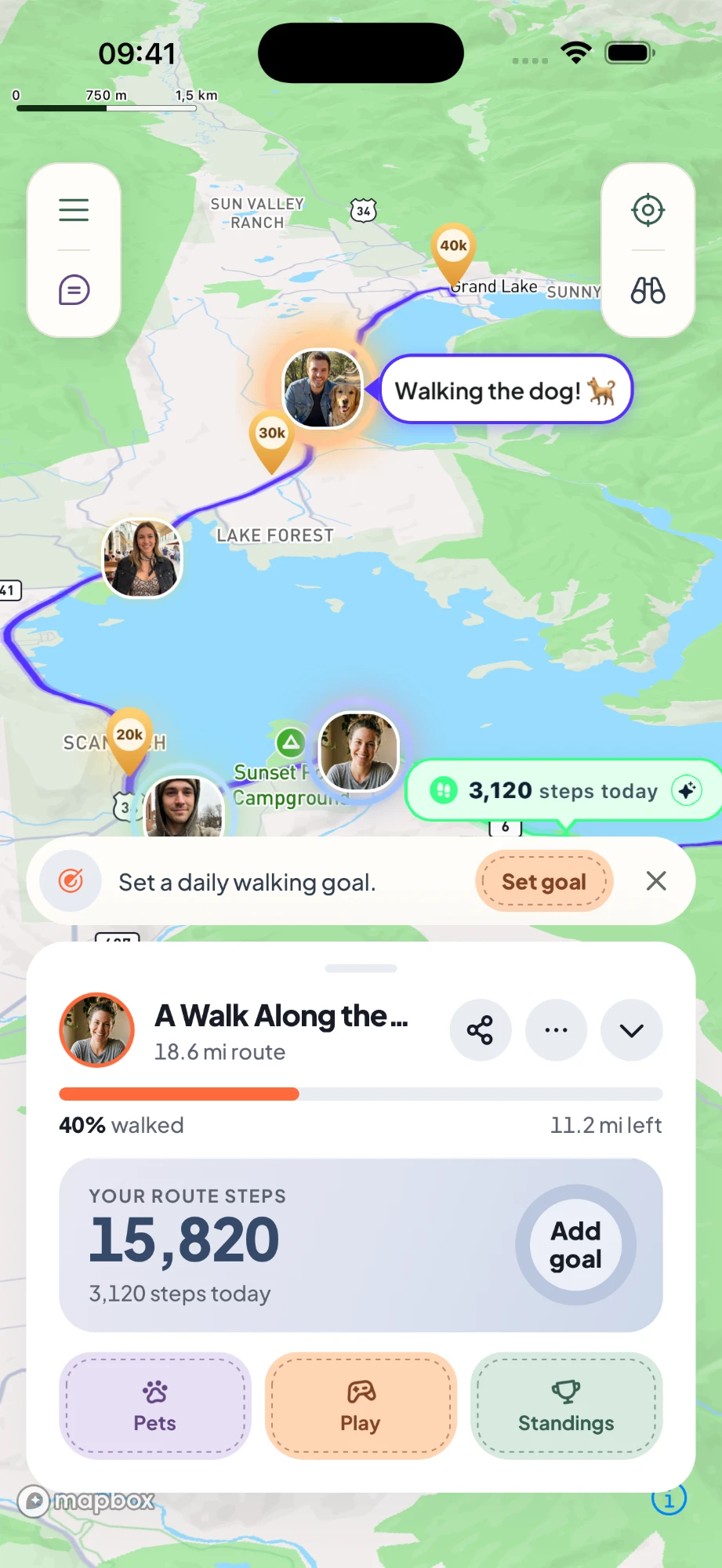
Start a Great Adventure in one tap, or draw your own route on the map.
Use Apple Health, Health Connect or your phone’s step counter. If it counts there, it counts in Kanatago.
Your avatar moves along the route as your steps come in. Finish it in a week or take a few months.
Invite family, friends or a small team at work to your route with a code.
See where everyone is on the route and how far they’ve walked today.
Tell the others what you’re up to. It shows next to your photo on the map.
A group chat for each route, and private messages.
Drop photos and notes on the trail for the others to find when they get there.
Race other teams, or work together toward a shared destination.
Look around the place on the route you’ve walked to.
For work, school and big families
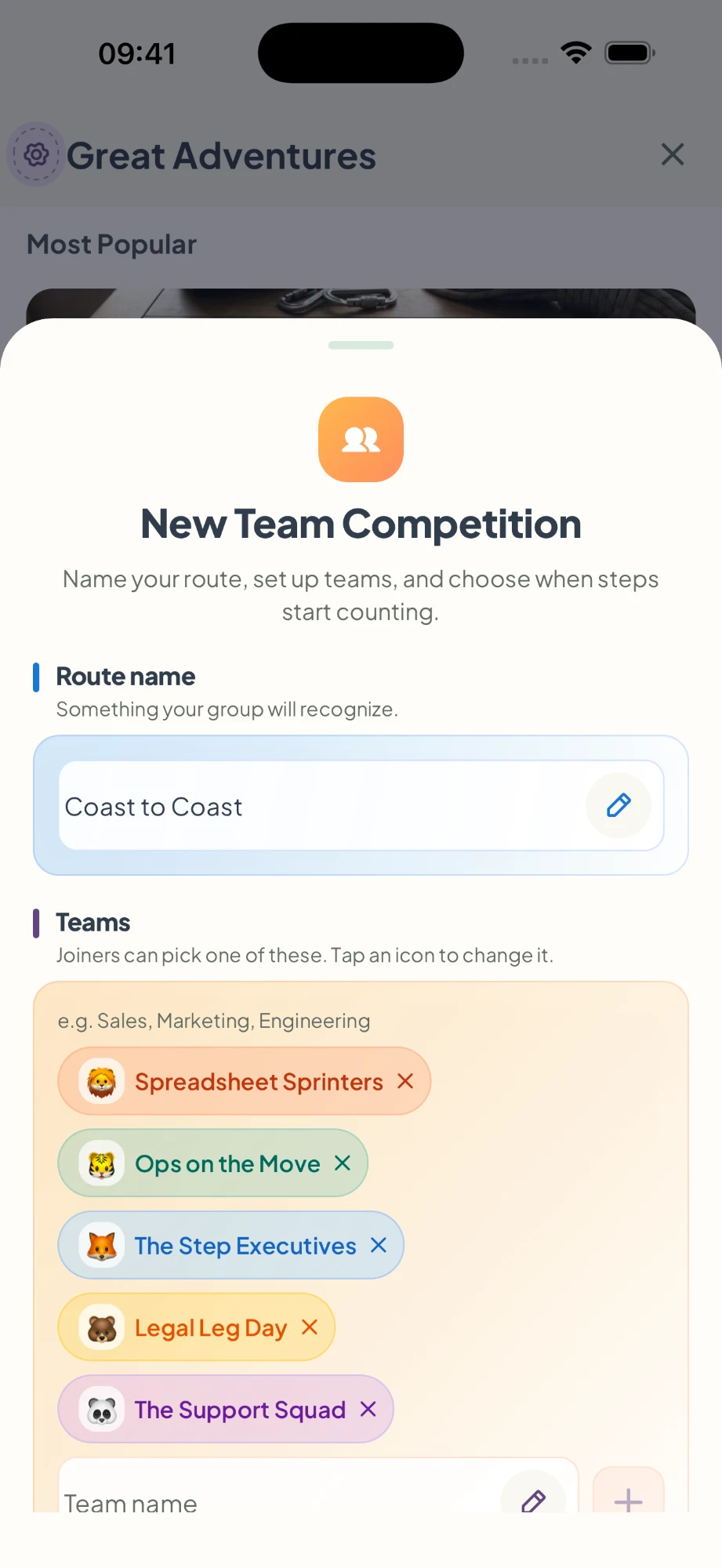
Split everyone into teams on one route. Race each other to the finish, or pool your steps toward a shared destination.
Give each team a name and an animal. People pick their team when they join with the route code.
Choose when steps start counting, so nobody gets a head start.
Write a letter or add a photo. Your pet carries it along the route to a friend and walks back with their reply.
Your pet walks ahead at a daily pace you set, or at the pace of your step goal. Try to keep up.
Every paid plan includes a Corgi.
Ready-made routes you can start in one tap.
Norway, end to end
A journey across the United States
From the plains of India to the summit, counted in real hill climbing
Add waypoints on the map, from your front door to anywhere
Start a game with everyone on your route.
Everyone races to the same step count.
Guess the location from Street View.
A fast word puzzle about the place you’ve reached.
Magic Insights tell you about the place you’re walking through. Subscribers get new ones every month.
Walk a Great Adventure on your own without paying anything. Subscribe when you want to bring others along.
No. Walk wherever you are. Your steps move you along the route on the map.
Apple Health on iPhone, Health Connect on Android, or the step counter in your phone. Steps from a watch or another app count once they’re in Apple Health or Health Connect.
Steps that reach Apple Health from another device can take a few hours to show up in Kanatago.
No. Your progress comes from your step count, not GPS. Location is only used to center the map and when you create a route.
Yes. Solo Great Adventures, goals and streaks are free. Walking with friends, team challenges and photo memories need Plus, Premium or Ultra.
In the app, go to Settings and delete your account. If you can’t log in, follow the steps on the account deletion page.
Visit Support or email [email protected].